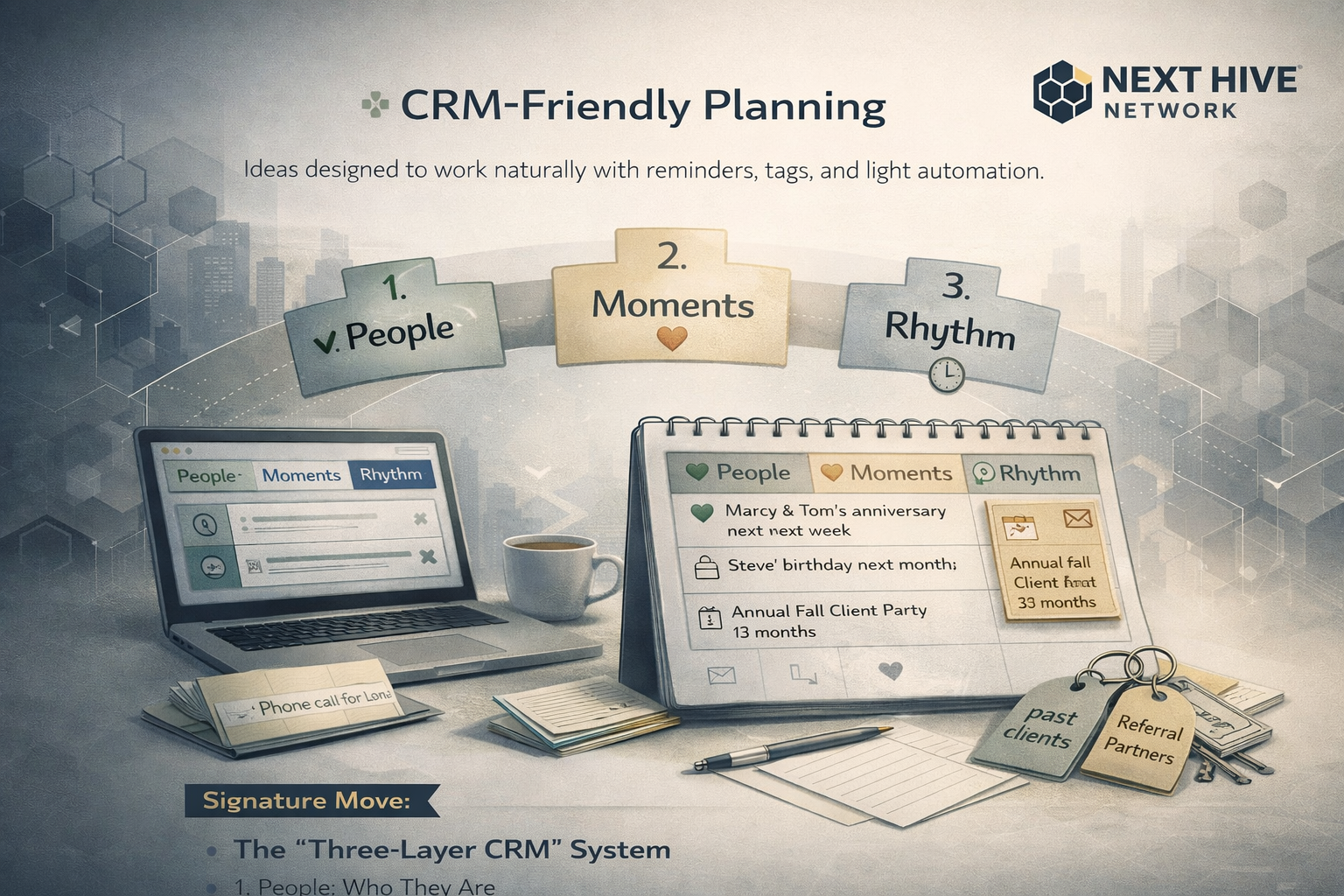
Ideas designed to work naturally with reminders, tags, and light automation
Your CRM shouldn’t tell you what to say, it should help you remember when it matters.
This section focuses on using your CRM as a quiet support system, not a marketing machine.
The Core Idea
Use your CRM to:
- Hold context
- Prompt intention
- Reduce mental load
Not to automate relationships, but to protect them.
Signature Move: The “Three-Layer CRM” System
Instead of complex pipelines, organize your CRM around three simple layers:
1. People (Who They Are)
Track:
- Relationship type (past client, referral partner, sphere, etc.)
- How you know them
- Preferred communication style
Avoid:
- Over-tagging
- Behavioral scoring
- Cold lead metrics
2. Moments (What Matters)
Use reminders for:
- Life events (birthdays, anniversaries, moves)
- Past conversations worth revisiting
- Event attendance
- Referral gratitude
One good note > ten generic fields.
3. Rhythm (How Often)
Set light, repeatable reminders:
- Quarterly check-ins
- Annual notes
- Seasonal outreach
The CRM’s job is to say:
“It might be time to reach out.”
Not:
“Send this now.”
What to Automate (and What Not To)
Automate These:
- Birthday reminders
- Post-event follow-ups
- Quarterly check-in nudges
- Annual review prompts
Keep These Manual:
- Message content
- Tone
- Timing decisions
- Personal details
Automation should prompt the action, not perform it.
Simple CRM Setup (Step-by-Step)
- Create relationship-based tags
(Past Client, Active Sphere, Referral Partner) - Add one personal note per contact
(Something human, not transactional) - Set recurring reminders
(Monthly, quarterly, or annual) - Review reminders once per week
(No constant notifications) - Act on 2–5 contacts at a time
(That’s enough)
CRM + Marketing Calendar Alignment
Use your CRM to support your calendar by:
- Tagging contacts by campaign relevance
- Setting reminders aligned with seasonal themes
- Pairing digital outreach with handwritten notes or events
This keeps marketing cohesive, not scattered.
Common Mistake to Avoid
❌ Treating the CRM like a lead tracker
✅ Using it like a memory assistant
If your CRM feels heavy, it’s doing too much.
CRM Setup Checklist (Relationship-First)
Use this checklist to configure your CRM as a relationship support system, not a task manager.
1. Core Contact Structure
- ☐ Import or organize contacts into People You Know
- ☐ Remove or archive cold/unqualified leads
- ☐ Confirm primary contact method (text / email / call)
- ☐ Add at least one personal note per priority contact
Pro Tip: If a contact has no personal context, they’re not ready for automation.
2. Relationship-Based Tags (Not Lead Status)
Create tags that reflect how you know someone, not what they might buy.
Examples:
- Past Client
- Sphere
- Referral Partner
- Family / Friend
- Vendor / Local Business
- Community Connection
Optional layered tags:
- Dog Owner
- Parent
- New Homeowner
- Investor
- Relocation
3. Meaningful Date Tracking
Track moments that matter, not just transactions.
Add fields or notes for:
- ☐ Home anniversary
- ☐ Birthday (month/day only if preferred)
- ☐ Major life milestones (new job, new baby, retirement)
- ☐ Annual event invitations (pie pickup, shred day, etc.)
4. Reminder Framework (Simple + Repeatable)
Set reminders based on rhythm, not urgency.
Examples:
- ☐ Quarterly personal check-in
- ☐ Annual handwritten note
- ☐ Seasonal touchpoint (spring / fall)
- ☐ Post-event thank you
How This Maps to Popular CRMs
Follow Up Boss
- Tags: Use for relationship type + interests
- Smart Lists: Create lists like “Past Clients, Quarterly Touch”
- Tasks: Set repeating reminders (not action-heavy tasks)
- Notes: Log personal details after every meaningful interaction
kvCORE
- Contact Tags: Use layered tagging (Sphere + Interest)
- Smart Campaigns: Use lightly, avoid over-emailing
- Tasks: Annual + quarterly reminders work best
- Notes: Add context immediately after conversations
Lone Wolf
- Tags: Strong tagging is essential here
- Automation: Use SMS/email sparingly with opt-in tone
- Video/Text: Great for personal check-ins
- Calendar: Ideal for relationship-based reminders
General Rule (Any CRM)
If a feature feels “too salesy,” skip it.
If it helps you remember someone as a person, use it.
Copy-Ready CRM Reminder Templates
You can paste these directly into task titles or notes.
Quarterly Check-In
“Personal check-in, no agenda. Ask how life is going.”
Annual Handwritten Note
“Send handwritten note, reference something personal.”
Life Event Reminder
“Acknowledge milestone, supportive message only.”
Event Follow-Up
“Thank you note, appreciation, no ask.”
Light Automation (What Is Worth Automating)
Automate structure, not conversation.
Good automation:
- ✔ Annual reminders
- ✔ Event follow-ups
- ✔ Birthday month prompts
- ✔ Quarterly check-ins
Avoid automating:
- ✖ Relationship language
- ✖ Personal messages
- ✖ Gratitude notes
Optional: The 15-Minute Weekly CRM Ritual
- Review upcoming reminders
- Add one new personal note
- Send 1–2 thoughtful messages
- Schedule next week’s touchpoints
Consistency beats volume, every time.
Final Tip
Every CRM is different.
👉 Log into your CRM’s learning center or video tutorials to apply these systems specifically to the platform you use. The goal isn’t perfection, it’s creating a system that supports how you naturally build relationships.
A good CRM doesn’t replace relationships, it protects them from being forgotten.
When used lightly and intentionally, your CRM becomes one of the most human tools in your business.
